What Is an API? Understand It in 5 Minutes Through Everyday Examples
What is an API, and why does every app you use every day — ordering food, signing in with Google, checking the weather — need one? Explained simply with real examples, plus a chance to call a real API yourself.
G
GnurtFull-stack developer
9 min read
In this article
You open a new shopping app, see a “Sign in with Google” button, tap it, pick your account, and a few seconds later you’re in — without creating a password. That app doesn’t have your Google password. So how does it know who you are?
The answer is an API. It’s also what’s behind the weather app on your phone, the payment button on a website, and the delivery fee that calculates itself as soon as you type your address. In this article, we’ll look at what is an API, how one API call works, and you’ll call a real API yourself right in your browser — no programming needed.
What is an API?
The easiest way to picture it is a waiter in a restaurant. You order, the waiter carries your order to the kitchen, then brings your food back. You never go into the kitchen, you don’t need to know how the chef cooks the dish — you just order and receive your food.
An API (Application Programming Interface) plays exactly that waiter’s role: it’s the set of rules that says what one piece of software can ask of another, how to ask, and what data it will get back. The software making the request doesn’t need to know how the other side is built inside, just as you don’t need to know how the kitchen works to eat the dish you ordered. You just need to order the right dish, the right way.
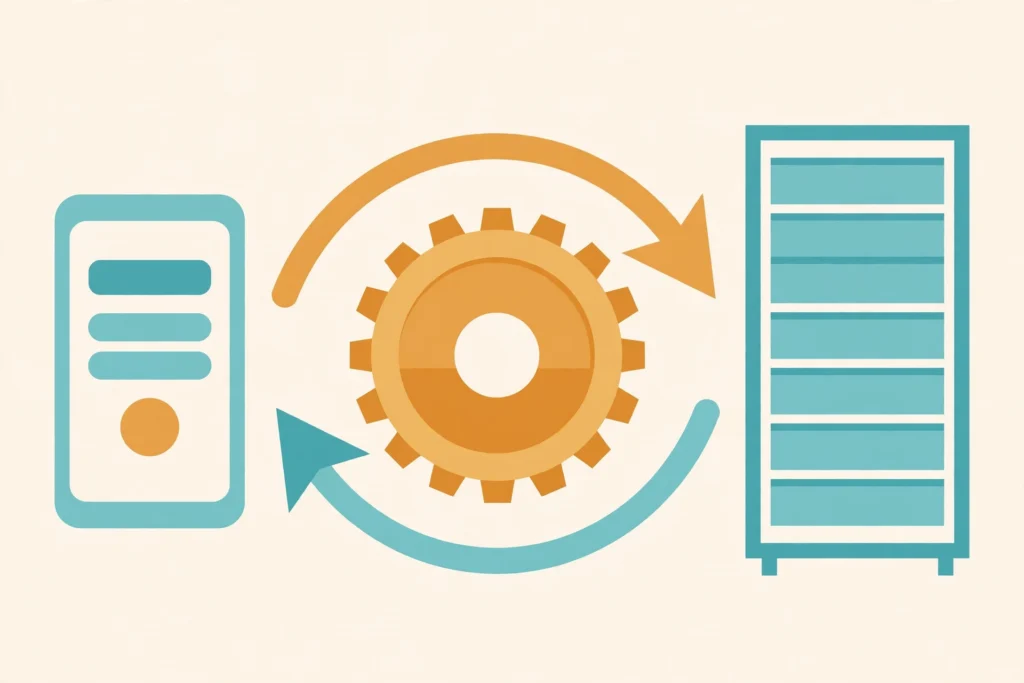
The app sends a request through the API to the server, then receives data back.
One thing people often get wrong: an API is not an app. The weather app is what you open and use; the weather API is how that app gets forecast data from a server.
How does one API call work?
Whether it’s a weather API or a payment API, every call goes through the same three steps: send a request, process it, return the result. I’ll use the weather app example for all three steps, so when you try it yourself later, it will line up.
1. The app sends a request to an endpoint
A request is the message an app sends, saying what it wants. The weather app sends something like: “give me the current temperature and humidity in Hanoi.” It sends that request to an endpoint — a specific address the API reserves for that kind of request. Think of an endpoint like the separate counters in a restaurant: the ordering counter is different from the payment counter. Send it to the right counter and you get served the right thing.
2. The server checks and processes it
The server receives the request and checks it first: is there enough information, is the format right, does it have permission to fetch this data? If all is well, it processes the request — for example, looking up the latest weather data for Hanoi. If something is missing or wrong, it returns an error instead of data, with an error code so the app knows what to do next.
3. The API returns a response
A response is the reply sent back to the app: either the data it asked for, or an error message. Data is usually packed as JSON, a way of writing data as “name: value” pairs that both machines and people can read. The app reads the response, takes the part it needs, and shows it to you.
These three steps still sound a bit abstract until you see a real response with your own eyes. The next section is where you try it yourself.
Try calling a real API right in your browser
Open-Meteo is a weather forecasting service with an open API — no sign-up or API key needed for personal, non-commercial use.
The part you need to look at is the current block: Hanoi was 18.8°C with 91% humidity. (The time shown in the JSON is in Hanoi’s local timezone, Asia/Bangkok.) The current_units block tells you the units — °C and %. A weather app does exactly what you just did, except it’s calling this API and showing the result in a nicer interface.
What can APIs help apps do?
What an API gives you is that an app doesn’t have to build everything itself. A small online shop doesn’t need to build its own card-payment system: it sends the payment request to the payment gateway’s API; a ride-hailing app doesn’t need to draw its own maps: it calls a maps API and a location API.
AI tools work the same way. Claude has a chat interface for users, but it also has an API so developers can build its abilities into their own products. The engineering team doesn’t have to train a model again: they send a request describing the task and receive a response.
Even if you don’t program, understanding APIs helps you make sense of phrases you see all the time. When software advertises an “integration with Google Drive”, it means it connects through Google Drive’s API. When a feature stops working after an update, very likely the API behind it changed and the feature hasn’t caught up yet.
API keys and request limits
Open-Meteo lets you call it freely, but many other APIs require an API key. That’s a string of characters the provider issues to your app alone, used to identify which app is calling. When the app sends a request, it includes the API key so the server knows who’s calling, why, and how to charge for it.
One thing to get right: an API key mostly identifies the app, it doesn’t prove who you are. When an API needs to know which specific user is accessing their own data — like the Google sign-in example above — the provider uses a different authentication mechanism.
And because a key is tied to counting and billing, almost every API has a rate limit — a cap on how many requests you can send in a given time. Send too fast and you’ll get a 429 Too Many Requests error, sometimes with information about how long to wait before trying again.
Warning: don’t put a secret API key in JavaScript that runs in the browser. Anyone who opens the developer tools can see it. Put the API key on a server, or use a public key configured to talk only to your own API.
REST, GraphQL and WebSocket: three names you’ll meet
When you read API documentation, you’ll meet these three names. Each is a different way of designing the exchange between an app and a server.
REST: each kind of data has its own endpoint; you send a request and get a response, exactly like the Open-Meteo example above. This is the style you’ll meet most often.
GraphQL: the app states exactly which fields it needs and gets back only those fields. If a profile screen only needs a name and a profile picture, it doesn’t have to download the address or purchase history too.
WebSocket: keeps one connection open between the two sides, so the server can push new data on its own without the app asking again. A good fit for chat apps, live price boards or online games.
If you’re just starting out, learn REST first. Most public APIs work this way, and once you understand request, endpoint and response as you just did, you can already make sense of the documentation of many APIs out there.
Common misunderstandings about APIs
Wrong
Right
“An API is the database.”
“The database stores data; the API is the rule-governed doorway other software uses to get or change that data.”
“With an API key you can access all of the service’s data.”
“A key mostly identifies the app; what you can do still depends on authentication, permissions and the API’s policies.”
“A public API means unlimited use.”
“A public API can still require sign-up, an API key and rate limits.”
Next step: change the request yourself and see the result
The fastest way to make APIs stop feeling abstract is to change the request yourself. Open the Open-Meteo link above again, change the latitude and longitude to your own city’s coordinates, or add ,wind_speed_10m after relative_humidity_2m to ask for wind speed too. Each time you change something, you’re doing exactly what a programmer does when reading API documentation: changing parameters, sending a new request and checking whether the response matches what you expected. From here, reading the documentation of other APIs like Stripe or Google Maps won’t feel unfamiliar.
Frequently asked questions about APIs
Can I try calling an API without knowing how to program?
Yes. With an API that can be called from a URL like Open-Meteo, you just open the link in your browser to see the JSON response. But to put an API into a real app, you need to know how to program.
Does calling an API cost money?
It depends on the provider. Some APIs are free for non-commercial use, like Open-Meteo; some are free up to a limit and then charge per request; and some are only for paying customers.
What does a 429 error mean when calling an API?
You’ve sent too many requests in a short time and hit the rate limit. Wait a while and try again, or send requests less often.
Sources
The sources below were checked on 13 November 2026:
Open Claude for the first time and most people stall at the very first step: choosing a model. Four names sit there — Fable, Opus, Sonnet, Haiku — and nothing says which one fits the job you have. Pick at random and you worry about wasting money; sit down to read the English documentation and...
You hand an AI a programming task that takes many steps. At first, it works fast and seems to understand the request. But the longer it goes, the more the result drifts: the original requirements gradually get dropped, code that was never broken gets changed, and the AI even reports that tests passed when the...
You might be using Chrome to browse the web, Edge for work, or VS Code to write code without realising they share a common foundation: Chromium. It is the open-source browser project behind many familiar products — but Chromium and Google Chrome are not quite the same thing. This article explains what Chromium provides, what...







Comments
You can use your Google account to comment. Google only shares your verified name and email address to display your name. You can log out at any time.
Sign in with GoogleNo comments yet. Be the first!