What Is Chromium and Why Do Chrome, Edge, and Many Other Apps Use It?
AG
Assistant GnurtFull-stack developer
10 min read
In this article
You might be using Chrome to browse the web, Edge for work, or VS Code to write code without realising they share a common foundation: Chromium. It is the open-source browser project behind many familiar products — but Chromium and Google Chrome are not quite the same thing. This article explains what Chromium provides, what Chrome adds on top, and when you should use Chromium itself.
What is Chromium?
Chromium is an open-source web browser project, developed and maintained mainly by Google. It launched on 2 September 2008, the same day Google introduced Chrome. Chromium’s source code provides most of the foundation Google uses to build Chrome, and many other companies use it in their own browsers and apps.
Open source means the program’s code is public, under a licence that lets others view, use, modify and distribute it under that licence’s terms. So a company can take Chromium’s source code, adjust the interface, add its own services, and release a browser under its own brand.
The name Chromium can mean two things:
The Chromium project: where the browser’s source code is developed and maintained.
The Chromium browser: a browser built from the project’s source code, which you can download and run on its own, separately from Chrome.
The important point is that Chromium is not a renamed copy of Chrome. It is the platform Chrome is built on. Google adds a number of its own components and services to make the more complete product that is Chrome.
In January 2025, the Linux Foundation announced the Supporters of Chromium-Based Browsers initiative to support the Chromium ecosystem. The announcement did not move the project under the Linux Foundation — it is still run the same way as before.
How does Chromium differ from Chrome?
When you install Chromium, you still get a browser that can open web pages, run JavaScript and install extensions. But some familiar Chrome features are not available in the official Chromium build (the build released by the Chromium project itself).
Difference
Chromium
Google Chrome
Automatic updates
The official build does not update itself; you have to download new versions yourself. Builds packaged by some Linux distributions can update through the package manager.
Downloads and installs updates automatically in the background.
DRM for watching Netflix
The official build does not include Widevine DRM, so content protected with it may not play.
Includes Widevine for playing protected content on supported services.
Video and audio codecs
H.264 and AAC codecs are not included in the official build’s default configuration.
Adds H.264 for video and AAC for audio.
Google account sync
Does not include the access Google requires for its browser sync, so sync is not available.
Can sync bookmarks, passwords and history when you sign in to a Google account and turn the feature on.
Crash and usage reporting
Has no built-in usage and crash reporting like Chrome.
Has crash reporting and usage statistics; whether data is sent depends on the user’s settings and choices.
Two rows in the table deserve a closer look if you often watch video online.
The first is DRM. DRM (Digital Rights Management) is a system for controlling how digital content is used, usually to limit copying or playback when licensing conditions are not met. Widevine is a DRM module developed by Google. Services such as Netflix, Disney+ and Spotify’s web player use Widevine to play protected content. Because official Chromium does not ship with this module, those services may not work the way they do in Chrome.
The second is codecs. A codec is a technology used to encode or decode audio and images. H.264 is a video codec, while AAC is an audio codec. The official Chromium build does not include either codec in its default configuration, so some videos may fail to play, or play picture without sound.
That does not mean Chromium cannot play video. Royalty-free formats such as AV1, VP9 and Opus are still supported, and WebP works normally for images. Because YouTube uses formats like AV1 and VP9 heavily, most videos on the platform can still play in Chromium. But playback also depends on the format a site provides and the configuration of the Chromium build you are using.
Why do so many browsers choose Chromium?
The main reason is that building a browser from scratch takes an enormous amount of work. A modern browser has to handle HTML, CSS, JavaScript, images, audio, video, network connections, security and a long list of web standards. All of these components also have to work reliably across many operating systems and devices.
Instead of developing everything themselves, a company can use Chromium as a foundation and focus on what makes its product different. To understand how this works, you need to know two important Chromium components: Blink and V8.
Blink is the rendering engine — the component that reads a web page’s HTML, CSS and resources and turns them into the content you see and interact with on screen. When a browser opens a page, Blink does jobs such as building the page structure, calculating layout and displaying the page’s elements.
Google created Blink in 2013 from a copy of WebKit’s code. WebKit is the rendering engine Chromium used before that, and it is still used in some other browsers.
V8 is the JavaScript engine — the component that runs a web page’s JavaScript code. JavaScript is typically used to handle interaction, update content and run dynamic features. When you click a button and the content changes without reloading the whole page, JavaScript code may be running in V8.
Blink and V8 do different jobs but work together to make web pages function. Blink displays the content; V8 runs the JavaScript. Both are key parts of the Chromium platform.
Sharing the platform means browser developers do not have to build and maintain all these complex components themselves. They can put their resources into the interface, their own features, data handling and privacy policies.
That is why Chromium has become the choice of so many companies. They do not need to create a completely new browser to have a product of their own.
Which browsers and apps use Chromium?
You may already have used Chromium without ever installing a browser called Chromium. Many familiar products use the project’s source code as their foundation.
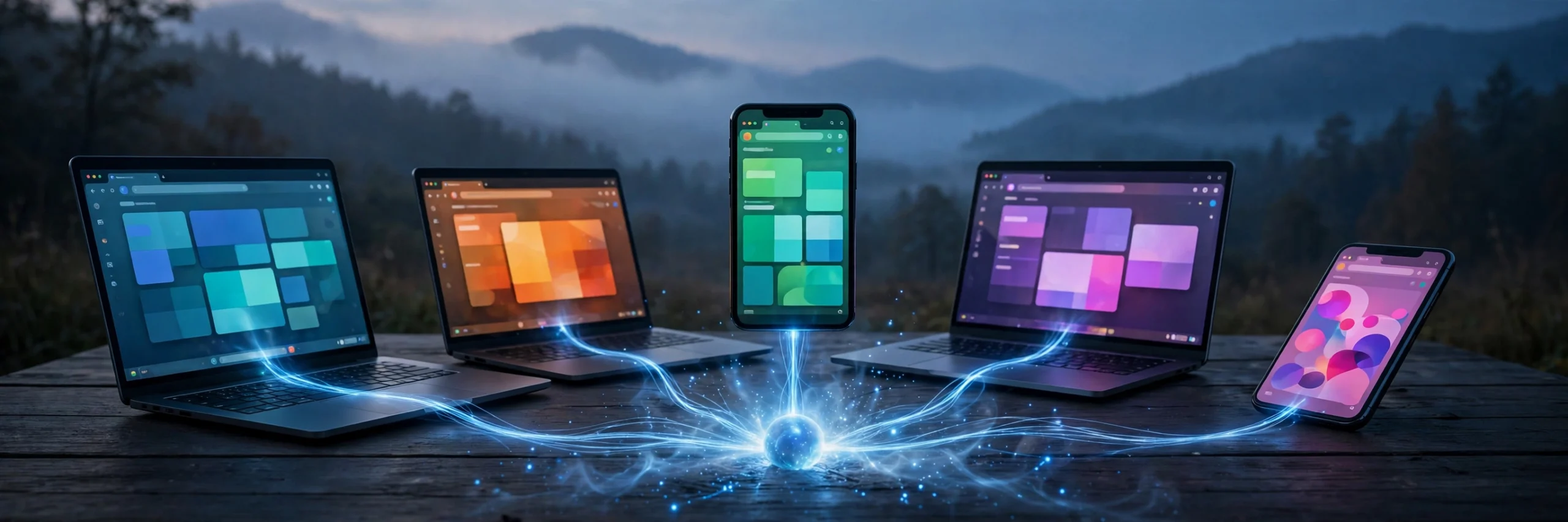
Many browsers and apps are built on the Chromium platform.
Some browsers built on Chromium include:
Microsoft Edge: Microsoft’s browser, which uses Chromium as its foundation instead of Edge’s old engine.
Brave: a privacy-focused browser with built-in ad and tracker blocking.
Opera: a browser that adds Opera’s own features and services on top of Chromium.
Vivaldi: a browser focused on customising the interface and organising your working tools.
These browsers are not unmodified copies of Chrome. They share the same technical platform but can change the interface, add features and handle data differently. Chromium is also the foundation of Samsung Internet and many other projects.
Chromium also appears in desktop apps through Electron. Electron is a framework (a set of software development tools) that lets developers build desktop apps with HTML, CSS and JavaScript. The framework embeds Chromium to display the interface, and uses Node.js — a tool that lets JavaScript code use the computer’s features — so the app can work with the operating system.
Some familiar apps that use Electron include:
Visual Studio Code (VS Code): Microsoft’s code editor.
Slack: a messaging and collaboration app for work.
Discord: an app for communicating by text, voice and video.
So when an app is said to use Chromium, that does not necessarily mean the app is a browser. It may use Chromium to display its interface inside the app window.
When should you use Chromium instead of Chrome?
Chromium suits some specific needs, but it is not the most convenient choice for everyone.
You could consider Chromium if:
You want to use an open-source browser so you can look into or check how the browser works.
You are a web developer and need to test web pages in Chromium itself, separately from Chrome, to see how they behave without Chrome’s extra components.
You do not need to sync data with a Google account.
You are happy to manage updates yourself, or you are using a Chromium build distributed and updated through a Linux package manager.
If your main goal is to reduce dependence on Google’s services, you could also look into Ungoogled Chromium. This is a Chromium build with the parts that connect to Google’s services removed. But it is a third-party build, not the official Chromium build. You still need to consider where you download it from and how its developers maintain updates.
Chromium is not a good fit if you:
Want the browser to update itself without having to follow and install new versions manually.
Often watch Netflix or other services that need Widevine DRM.
Need to play a lot of content that uses H.264 and AAC and do not want to deal with compatibility issues.
Want to sync bookmarks, passwords and history with a Google account.
For most computer users, Chrome is usually more convenient because it already includes the components needed for common tasks. If you want a different browser but still need the Chromium platform, Edge, Brave or Vivaldi are worth a look.
One note on privacy: Chromium lacking Google account sync and Chrome’s built-in reporting does not mean all browsing activity stays private. Sites you visit can still collect data in their own way, and the browser still stores cookies, history and local data depending on its settings.
Common misunderstandings
Wrong
Right
Chromium is a free version of Chrome.
Chromium is the open-source project that provides the platform for Chrome and many other browsers. Chrome is the product Google builds on that platform, with extra components and services of its own.
You cannot watch online video with Chromium.
Chromium still supports many formats, such as AV1, VP9 and Opus. The main problems are with content that needs the H.264 or AAC codecs, or Widevine DRM.
All browsers based on Chromium are the same as Chrome.
They share the same technical platform, but their interfaces, features, integrated services and privacy policies can differ significantly.
Using Chromium means no data is sent to Google.
The official Chromium build lacks some of Chrome’s services and reporting, but visiting websites can still create data sent to third parties.
Chromium is always more private and safer than Chrome.
Privacy also depends on configuration and how you use it. Not updating automatically can also leave Chromium exposed to security risks if you skip bug-fix releases.
Chromium is a headless browser.
Chromium is a full browser with an interface, like Chrome. “Headless” is a mode that runs without showing a window, used for automated testing, taking page screenshots or collecting data. Both Chrome and Chromium have this mode.
Conclusion
There are three things worth remembering about Chromium:
Chromium is the open-source browser project that provides the platform for Google Chrome and many other browsers.
Chrome adds its own components and services, including automatic updates, Widevine DRM, the H.264 and AAC codecs, and Google account sync.
Chromium suits people who want to explore the browser platform or manage their own environment, but ordinary users may find Chrome more convenient thanks to its built-in features.
Once you understand this relationship, it is also easier to see why Edge, Brave, Opera, Vivaldi, and even apps like VS Code and Slack can share one platform while remaining different products.
Sources
The sources below were used to check the information in this article. Date checked: 8 November 2026.
The 11.11 sale season is peak time for online shopping scams. Learn to spot 8 common tricks, including AI deepfakes, and how to protect yourself as a buyer or a shop owner.
Node.js has announced upcoming security releases for lines 26.x, 24.x and 22.x, due on or shortly after Wednesday, November 11, 2026. The highest severity issue in this round is HIGH. This article tells you whether the version you run is affected, and what to do before then. What’s coming on November 11 According to the...
On 04/11/2026, GitHub was hit by an incident affecting Pull Requests, Git Operations, Issues, Actions, and API Requests. The incident began at 09:49 UTC and was resolved at 11:50 UTC the same day. What Is Happening? According to GitHub’s official status page, Pull Requests is partially disrupted (partial outage), while Git Operations, Issues, and Actions...





Comments
You can use your Google account to comment. Google only shares your verified name and email address to display your name. You can log out at any time.
Sign in with GoogleNo comments yet. Be the first!