What Is Docker? The Simplest Explanation for Beginners
G
GnurtFull-stack developer
9 min read
In this article
What is Docker? Docker is an open platform that helps you package, ship, and run an app. An app runs in a separate environment called a container. In short, Docker helps an app run the same way on many different machines. Everything the app needs is packaged together.
What Is Docker?
According to Docker’s official documentation, Docker is an open platform. This platform is used to develop, ship, and run apps. Docker separates an app from the infrastructure underneath it. Because of this, you can manage infrastructure in much the same way as you manage an app. You also shorten the time from writing code to running code in a real environment.
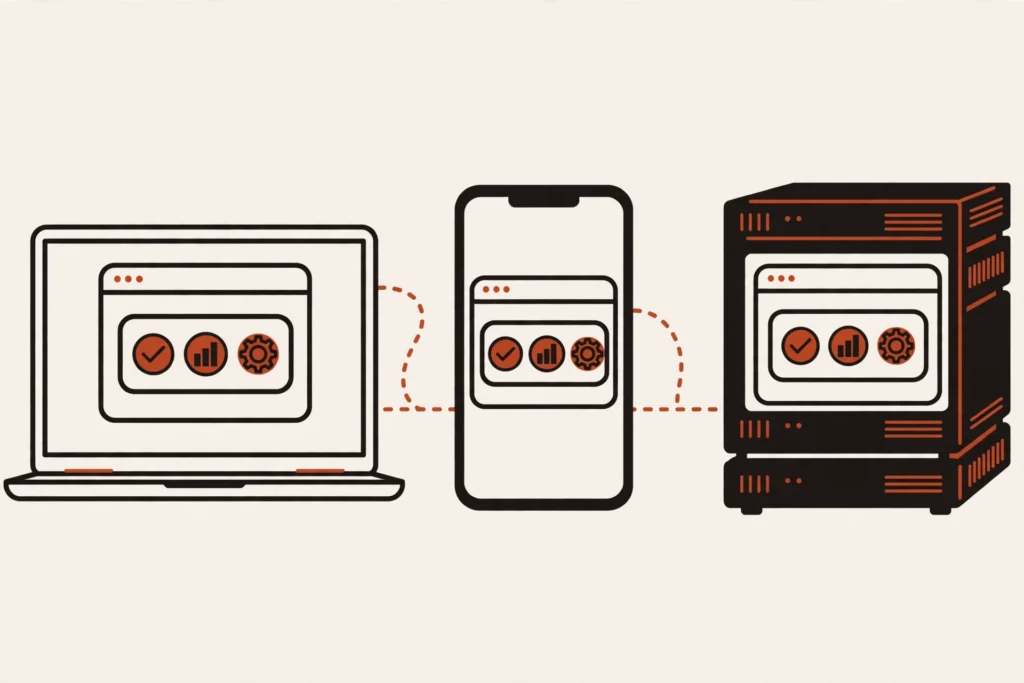
Think of Docker as a standard shipping container in transport. Goods are packed into a sealed container with a common size and format. The container is then carried by ship, truck, or train without being opened and repacked. A container in Docker works the same way: an app and everything it needs are packed into one standard unit. This standard unit can run in many different places and still work the same way.
A container holds the source code, libraries, needed tools, and settings of an app. When the container runs, the app depends less on what is already installed on the host machine, because the important parts are already inside the container.
Why Do You Need Docker?
People who are new to web work often meet a familiar situation. An app runs well on the machine of the person who wrote the code. But the app fails, or works differently, when it runs on a teammate’s machine or on a server. The cause is often the differences between machines. The version of the programming language is different, or a library is missing. The operating system is different, or a setting does not match.
A familiar joke among programmers is “it works on my machine”. The main problem is that people do not use the same environment. Docker solves this problem by packaging an app together with its environment. Everyone in the team uses the same environment, already packaged. You only need to receive the container and run it. Because of this, the result of running the app becomes more stable and easier to predict.
Docker also makes sharing work simpler. Instead of sending each other a long list of installation steps, you can share a container. This container is already packaged. The person who receives it can run it without redoing the whole setup process from the start.
How Are Containers and Images Different?
An image is the blueprint of an app, and a container is the running copy created from that image. An image is a read-only template that holds the instructions for creating a container. A container is a running instance of an image. This instance can be created, started, stopped, moved, or deleted.
You can think of an image as a cooking recipe. A container is like a dish that has been cooked from that recipe. One recipe can be used to cook many dishes, and each dish is a separate running copy. In the same way, one image can create many containers. Each container works independently of the other containers.
When you delete a container, the original image stays intact, and you can create a new container from that image. When you change the app, you usually create a new image. Then you create a new container from the updated image.
An image is the blueprint; a container is the running copy.
What Parts Make Up Docker?
You only need to remember the five basic parts below. Each part has its own role. They work together to package and run an app.
Docker Engine: the main software, including the container runtime, for creating, running, and managing containers on your machine.
Image: a read-only template that holds everything needed to create a container.
Container: a running image, where the app actually works.
Dockerfile: a text file that records each step for creating an image, like a recipe that can be read and edited.
Registry (Docker Hub): a place for storing and sharing images. Docker Hub is a public registry that many people can use to download images or share their own images.
In practice, the process usually follows a simple loop. This loop includes writing a Dockerfile and creating an image from the Dockerfile. You push the image to a registry to share it. Then you run a container from that image on any machine that has Docker installed.
What Does Docker Do in Real Web Work?
Take a familiar example: a web app that runs with a database. Without Docker, you must install each part on each machine. Each machine may use a different version. With Docker, the web app and the database are packaged into separate containers. These containers use the same version and the same settings. This setup applies in the development environment, the testing environment, and the real production environment. Because of this, the app can work the same way in all three environments.
Docker also makes welcoming a new team member easier. Instead of spending time installing each tool and library, a new member only needs to install Docker. The new member downloads the needed images and runs the containers. They do not need to install each part of the whole environment. They meet fewer errors because their machine is different from someone else’s machine.
When you need to try a new version of a database, you can run a separate container. You can also try a new library in that separate container. A separate container does not change the main environment on your machine. If it does not fit, you only need to stop and delete that test container.
The same app running the same way everywhere.
When Should You Use Docker, and When Not Yet?
Docker is especially useful when you work with many environments. Docker is also useful when you work with many apps, or work in a team. An app needs to work the same way on a development machine, a testing machine, and a server. When many people work on one project, packaging the environment helps. People spend less time fixing errors caused by environment differences.
On the other hand, Docker can be overkill for a small website. This website only runs on a single virtual server. The website changes little and has only one manager. In that case, installing directly on the server is usually simpler. You do not yet need the complexity of learning a new tool. You also do not yet need to set up an app runtime layer.
A sensible approach for a beginner is to start from a real need. If you often meet errors caused by different environments, or you want to experiment safely without messing up your machine, Docker is a tool worth learning. But if your need is still very simple, you do not need Docker right now — come back to Docker when the project grows bigger.
How Do You Get Started with Docker?
To get started, follow the official documentation. Install the Docker version that fits your operating system. Docker provides Docker Desktop for personal computers and Docker Engine for servers. Read the official installation guide to know which version to choose for each operating system.
After installation, you can check it by running your first container. This container uses a test image named hello-world. You only need to run the docker run hello-world command in the terminal. If Docker is installed correctly, you will see a welcome message. This message tells you that the installation works.
From here, you can continue with the getting started page in the official documentation. You learn how to run a container, create your own image, and share an image through Docker Hub. Go one small step at a time, and only learn more once you have run your first container.
Frequently Asked Questions
Is Docker free?
You can download and install Docker following the guide in the official documentation. However, Docker Desktop has its own terms of use, and commercial use in large businesses requires a paid plan, according to the official documentation. So read the terms that apply to your case carefully before using Docker for an organization.
How is Docker different from a virtual machine?
A virtual machine carries its own operating system and is strongly isolated, so it is usually heavier and slower to start. Linux containers on the same machine share one Linux kernel, so they are lighter and start faster, but the level of isolation is also more modest. You can choose a virtual machine when you need strong isolation, and choose a container when you need lightness and speed.
Do you need to be good at Linux first?
No. You can start with Docker Desktop on Windows or macOS, and only need to get used to a few basic commands in the terminal. Linux knowledge will help when you go deeper, but you do not need to wait until you are good at Linux before you start learning Docker.
Does Docker replace Kubernetes?
No. Docker is used to package and run individual containers, while Kubernetes is used to manage many containers across many machines, including deployment, scaling, and recovery when there is a problem. These two tools do different jobs and are often used together, instead of replacing each other.
Conclusion
Docker helps you package an app together with its environment into a container. Because of this, the app can run the same way everywhere. An image is the template, and a container is the running copy. This difference is the foundation for understanding every step that follows. The next article in this series (coming soon) will go deeper into images, containers, volumes, and networking. You will understand clearly how these parts work together.
AI code writing accounts for over 40% of pull requests on GitHub. An analysis of the latest figures and how developers and businesses can adapt to use AI effectively.
If you are wondering what is SEO and GEO, here is the simplest explanation: SEO is how you optimise a website so it appears high in search results pages such as Google. GEO is how you optimise content so AI systems such as AI Overviews, ChatGPT or Perplexity choose it as a cited source when...
Why can’t you find the Muse AI app on the App Store in your country? If you are looking for a way to download the Muse AI app on iPhone in an unsupported country and type “Muse AI” in the App Store, you will see many apps with similar names, but not Meta’s official app....