How to Download the Muse AI App on iPhone in Unsupported Countries
G
GnurtFull-stack developer
6 min read
In this article
Why can’t you find the Muse AI app on the App Store in your country?
If you are looking for a way to download the Muse AI app on iPhone in an unsupported country and type “Muse AI” in the App Store, you will see many apps with similar names, but not Meta’s official app. That is not a device error.
The simplest way to download the Muse AI app on iPhone is to change your App Store region to the United States, download the app, and then change the region back afterwards. Just follow the 4 steps below.
Note: changing the region helps you download the app, but signing in and using it still depend on Meta’s country limits.
After downloading the app and creating an account, don’t forget to enter referral code Z1XUL4 within 48 hours so you and the person who invited you both receive 1 billion tokens. See the detailed guide to registering a Muse AI account here.
4 Steps to Download the Muse AI App on iPhone
Step 1: Go to Settings and open your Apple ID account
Open the App Store on your iPhone.
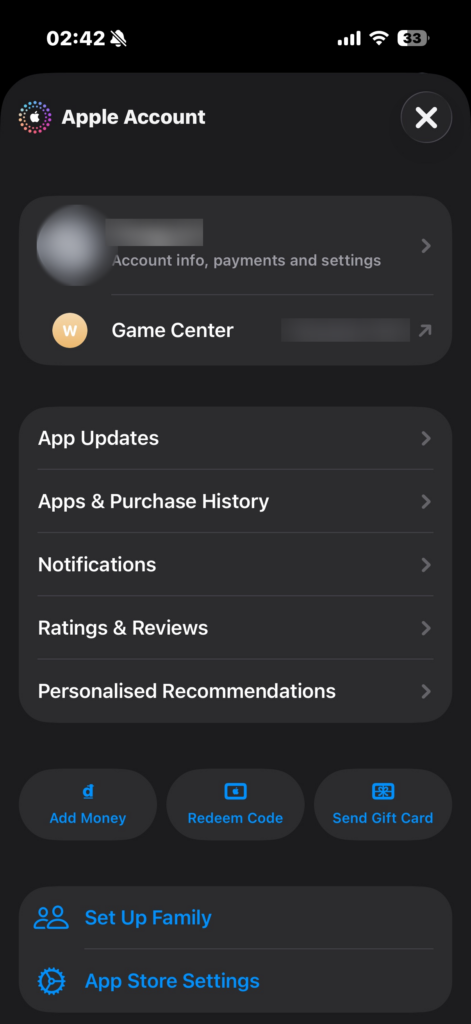
Tap your account profile picture in the top corner.
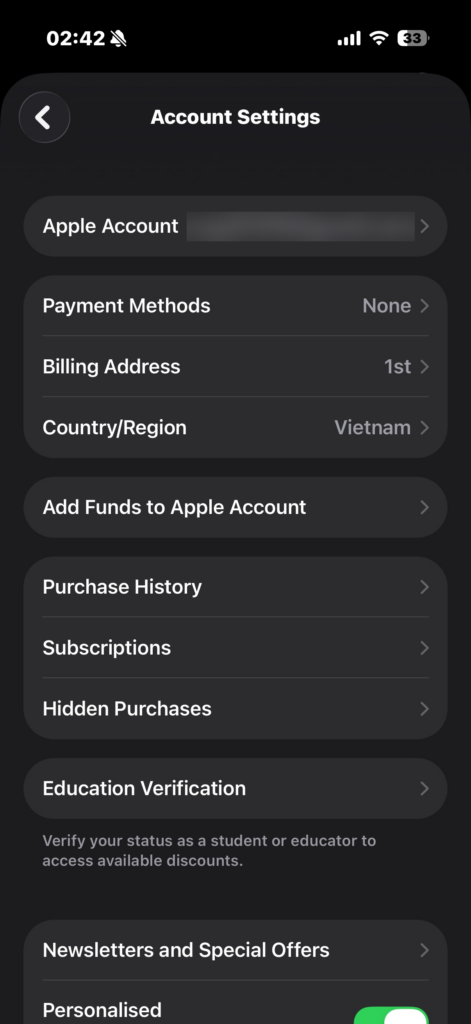
Tap the account row to open Account Settings.
Here you will see Payment Method, Billing Address, and Country/Region. You may need to enter your Apple ID password or verify your identity.
Step 1: Open the App Store and tap your account.
Step 1: Open Account Settings and check Country/Region.
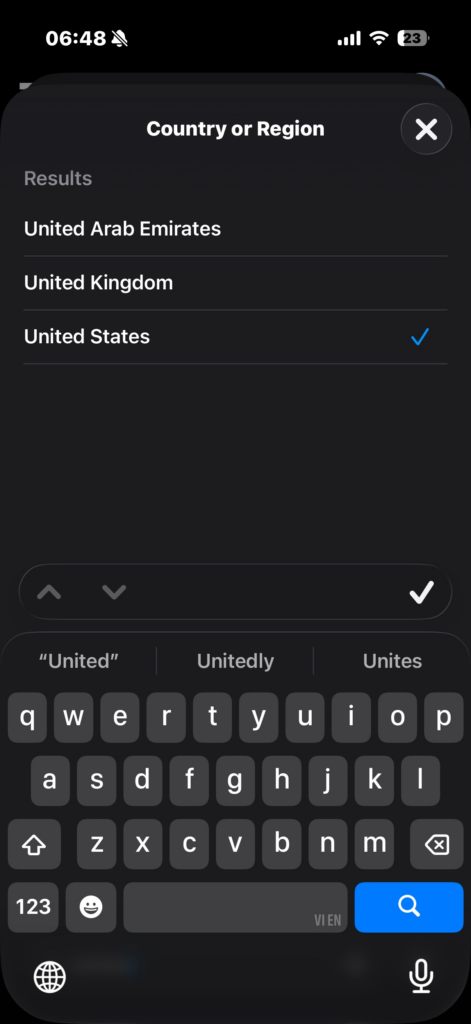
Step 2: Change Country/Region to the United States
Select “Country/Region”.
Select “Change Country or Region”.
Scroll down and select United States in the list.
Read the Terms & Conditions, then tap Agree.
Step 2: Select United States.
Note: Apple may require you to spend any remaining balance, cancel subscriptions that block a region change, and leave Family Sharing before you change regions.
Step 3: For Payment, select None and enter a US address
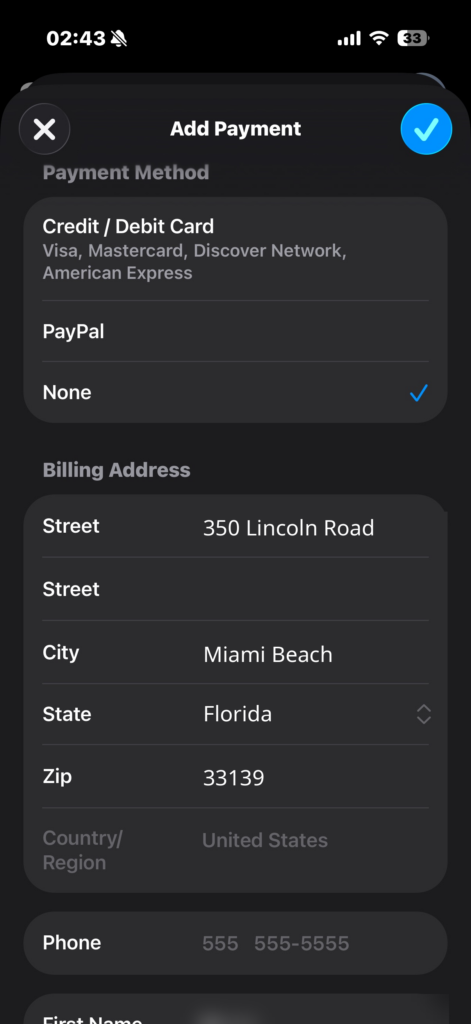
On the payment and address screen:
Under Payment Method, select None.
Enter a US address using the example below in the matching fields.
Fill in all required fields completely; do not leave any blank.
Enter your name and the following example address in the form:
Street: 350 Lincoln Road
City: Miami Beach
State: Florida (FL)
ZIP Code: 33139
Country: United States
The address above is only an example illustrating the form format. Apple requires valid information for the selected country; if None does not appear, check your balance, subscriptions, and pending charges.
Step 3: Select None and enter the example US address.
Step 4: Tap Next and you are done! Go to the App Store to download the app
After entering the address, tap Next.
Tap Done if a confirmation is requested.
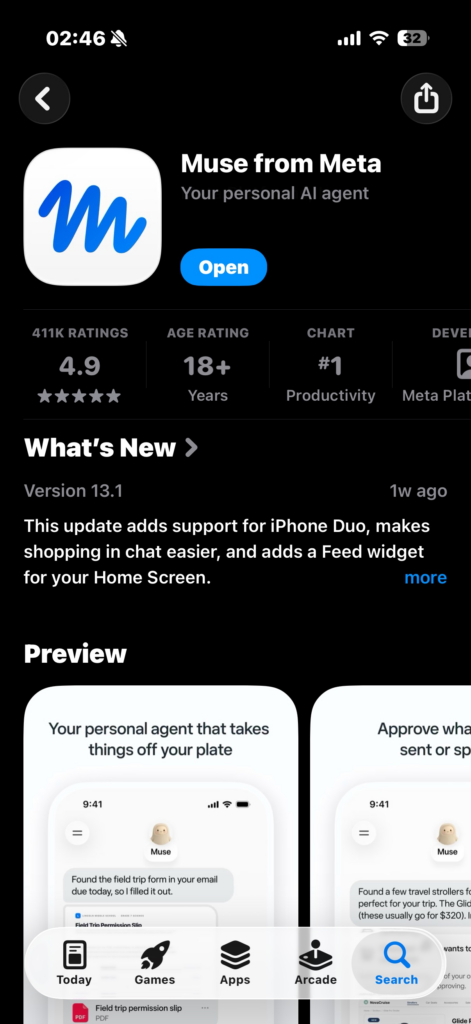
Open the App Store and type “Muse AI” in the search box.
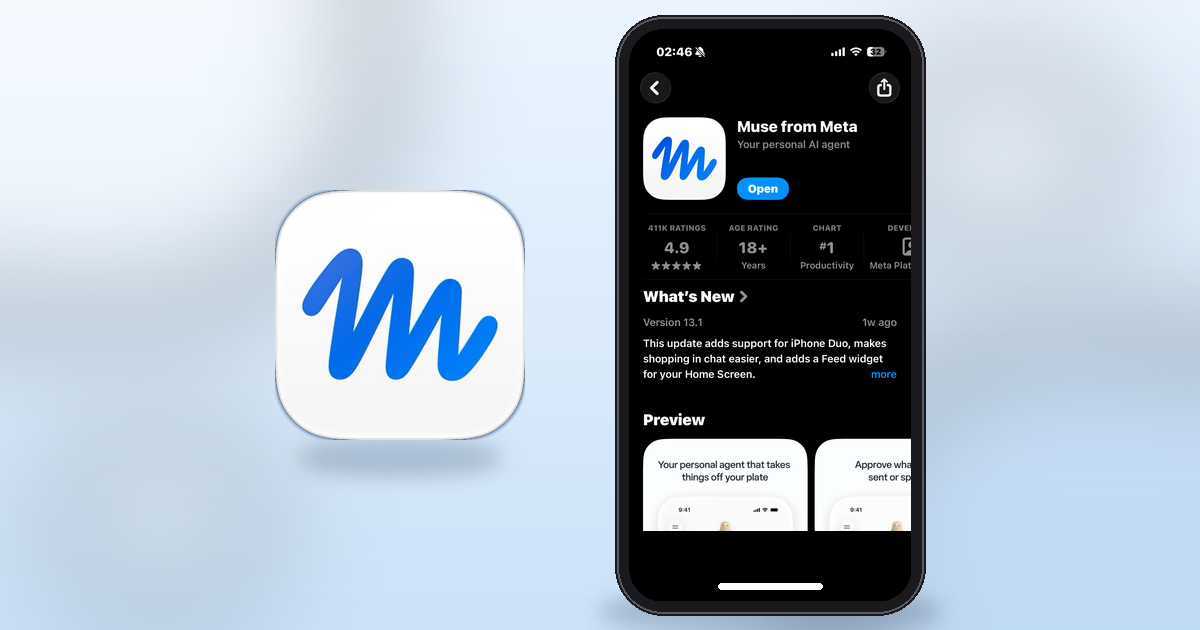
Find the correct app, “Muse from Meta”, by developer Meta Platforms, Inc., then tap Get to download it right away.
Step 4: Find Muse from Meta and download it.
That is it! The Muse AI app is now on your iPhone.
Tip: Do not choose Singapore just to download the app, because the Singapore App Store rates Muse 18+ and you will have to verify that you are over 18 when registering, for example with a credit card or by linking a Facebook/Instagram account. The United States is the simpler choice for this guide.
When you download the Muse AI app on iPhone, there are many apps on the App Store with the same Muse name. To avoid downloading the wrong one, check carefully before tapping download:
Check the correct app: the name “Muse from Meta”, developer Meta Platforms, Inc., requiring iOS 18.0 or later. Do not download from strange links or IPA files.
If you type “Muse AI” and do not see the official app, try typing exactly “Muse from Meta”, check again whether the App Store has switched to the United States region, and whether your iPhone is running iOS 18 or later. The Muse app requires iOS 18.0 or later.
What if you downloaded the Muse AI app on iPhone but cannot sign in?
This is the point most people run into. Downloading the app and being able to use Muse are two different things:
If the app says it is unavailable in your country when you sign in, that is Meta’s rollout limit, not a download error. Do not use a VPN, a pre-purchased account, or an IPA file; the safest approach is to wait for Meta’s official expansion, and while you wait you can follow updates at muse.ai.
Frequently asked questions
Does changing regions delete data on my iPhone?
No. Changing regions does not delete photos, contacts, or data on the device, but it can affect subscriptions, balances, and content purchased by region.
Can I select None for payment?
Yes, if the account is eligible to change regions; if you do not see None, check your balance, subscriptions, and pending charges.
After downloading, if I change back to my original region, will the app disappear?
No, the app stays on the device; only later updates may require changing the region back to the United States.
When will Muse be available in my country?
Meta has not announced a specific date as of 1/11/2026.
Conclusion
With just the 4 steps above, you can download the “Muse from Meta” app to your iPhone, then change the region back as before to use the App Store normally.
Meta’s Muse launch announcements: United States (8 September 2026); Canada (18 September 2026); Japan (23 October 2026); Singapore (27 and 28 October 2026).
Information in this article was last checked on 1 November 2026; the invite-code terms shown in the app at redemption apply.
AI code writing accounts for over 40% of pull requests on GitHub. An analysis of the latest figures and how developers and businesses can adapt to use AI effectively.
When using Muse AI, you will be required to verify your age before using full features. A common way is to verify with a credit card or international payment card, and you will be charged $1 to test the card. However, you can still verify without using a credit card or international payment card. Muse...
Step-by-step guide on how to register a Muse AI account – Meta's AI assistant – for users in unsupported countries, along with the invitation code Z1XUL4 for both parties to receive 1 billion tokens.