Tips to verify Muse AI without a card, without being charged $1
G
GnurtFull-stack developer
4 min read
In this article
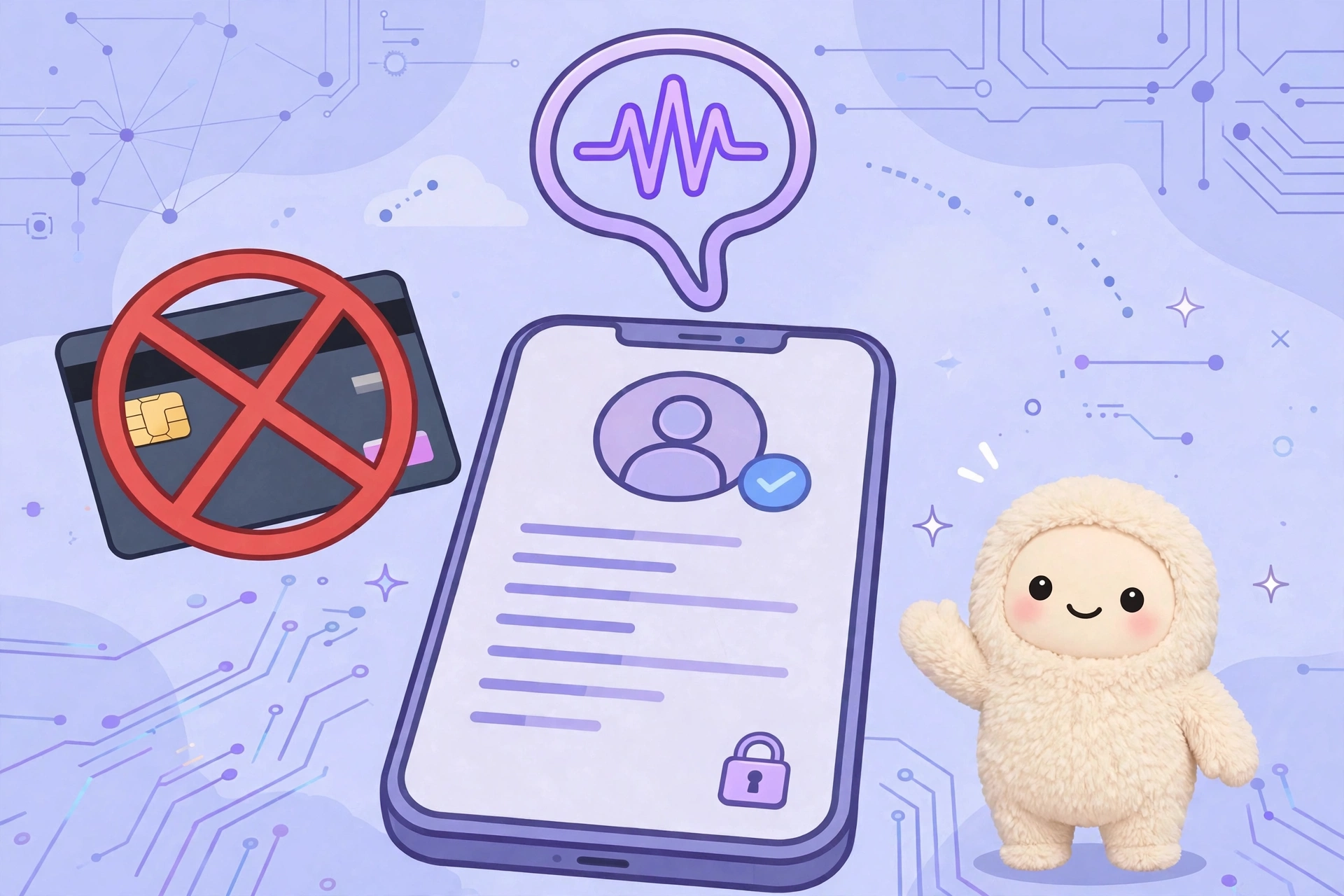
When using Muse AI, you will be required to verify your age before using full features. A common way is to verify with a credit card or international payment card, and you will be charged $1 to test the card. However, you can still verify without using a credit card or international payment card. Muse AI is Meta’s AI assistant, so you can quickly verify via your Facebook or Instagram account, completely free of charge. This article will guide you on how to do it and important notes to successfully verify on your first try.
How do card verification and Facebook/Instagram verification differ?
Verify with a credit card or international payment card: requires a Visa, Mastercard, etc., and a $1 charge upon verification (Muse will refund it after 5–7 working days). Many people do not have a card or do not want to enter card information.
Verify via Facebook/Instagram: no credit card or international payment card needed, no $1 fee. Muse AI only compares the date of birth you enter with the date of birth on your social media account.
Preparation before verifying Muse AI
Have a Facebook or Instagram account ready: this is a mandatory condition. If you don’t have one, create an account first.
Check the date of birth on the account: go to Meta Account Center → Personal details (shared for both Facebook and Instagram) to see the saved date of birth.
Log in beforehand to Facebook/Instagram on your browser or app to make the linking process faster.
Steps to verify Muse AI via Facebook/Instagram
The age verification part is at Step 5 in the Muse AI registration process. If you haven’t done the previous steps, please check the article Detailed guide on how to register a Muse AI account. Summary of the steps as follows:
Step 1: Change your connection region to the US using a VPN (e.g., 1.1.1.1 Cloudflare WARP, ProtonVPN…).
Step 2: Access the Muse AI registration page.
Step 3: Enter your email or phone number, then enter the verification code sent to you. If you use the exact email or phone number registered with Facebook/Instagram, Muse may redirect you straight to the main interface without age verification.
Step 4: Enter your day, month, and year of birth. This date of birth must match your Facebook or Instagram date of birth exactly.
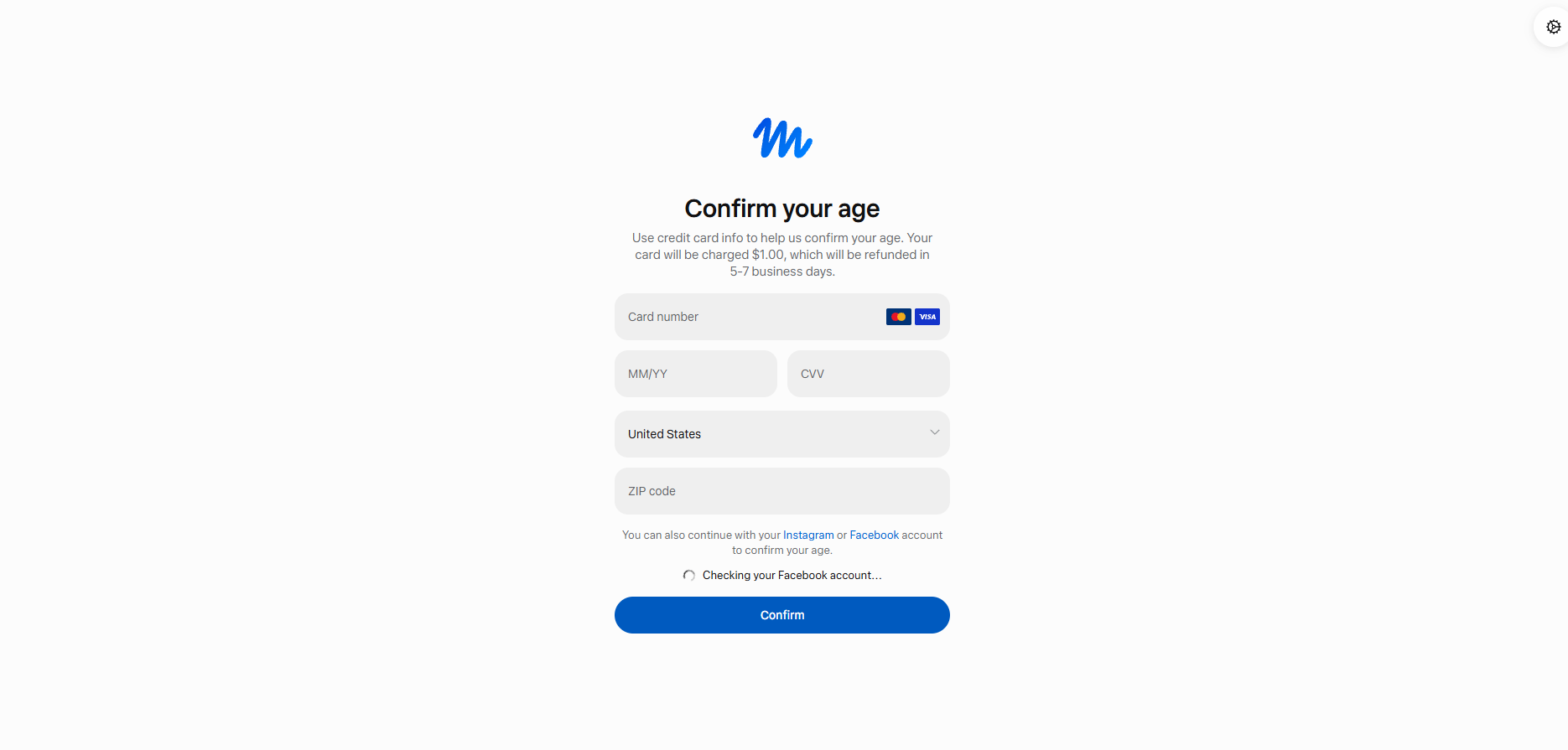
Step 5 – Age verification: The Confirm your age screen will display a form to enter a credit card or international payment card ($1 charge). You do not need to fill in a card. Look down at the line “You can also continue with your Instagram or Facebook account to confirm your age” and click on the word Instagram or Facebook, then log in and allow Muse to check your account information.
Step 6: If your date of birth matches, you will be verified and redirected to the main interface of Muse AI.
Click on the word Instagram or Facebook to verify Muse AI without a card
Important notes when verifying Muse AI
Tip: If the email or phone number you use to register for Muse AI matches the email or phone number registered with Facebook or Instagram, Muse may redirect you straight to the main interface, and you won’t need to verify your age anymore.
The date of birth entered on Muse AI must match your Facebook or Instagram date of birth exactly. Even if it’s off by a single day, month, or year, the verification may fail.
Pay attention to the date/month order when entering (for example, 05/08 and 08/05 are two different dates).
Your social media account should be a real account that has been used stably, not a newly created account.
You must be at least 18 years old to successfully verify.
Conclusion
You do not need a credit card, international payment card, or lose $1 to verify your age on Muse AI. Just have a Facebook or Instagram account ready and enter a matching date of birth with that account, and you will be verified in just a few minutes.
After finishing verification, don’t forget to enter the invitation code Z1XUL4 within 48 hours to receive 1 billion tokens. See detailed instructions at the Muse AI registration post.
Step-by-step guide on how to register a Muse AI account – Meta's AI assistant – for users in unsupported countries, along with the invitation code Z1XUL4 for both parties to receive 1 billion tokens.
WordPress 7.1.4 patches over a dozen security vulnerabilities such as RCE and XSS. Easy-to-understand explanations of each flaw and how to securely update your website.
Most slow WooCommerce stores are not slow because of weak hosting, but because of redundant plugins, heavy queries, and unoptimized images. This is the order I check every time I take on a project.